
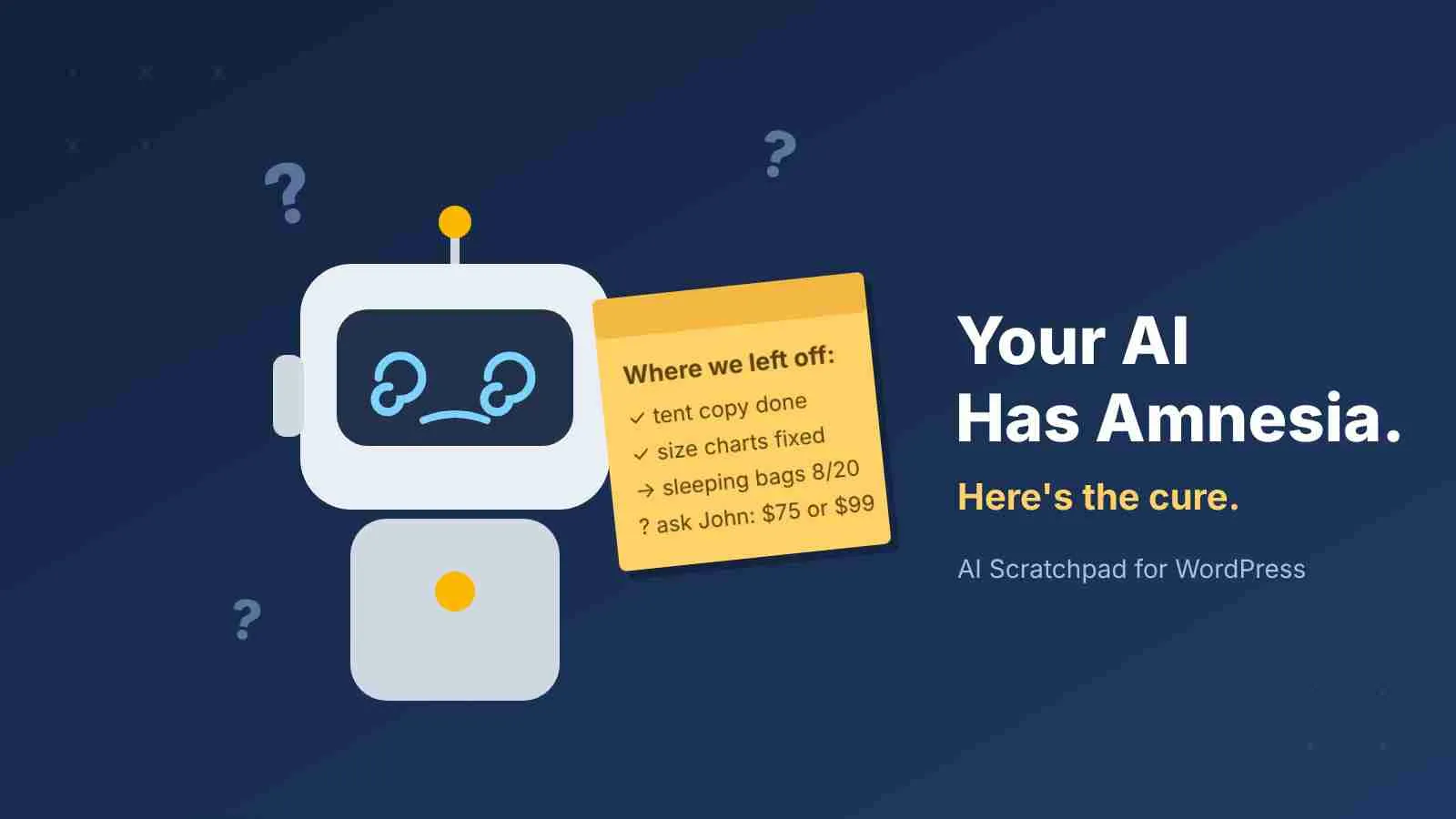
Your AI Has Amnesia. Here’s The Cure.
There’s a common misconception that with AI, you hand the robot a task and walk away. That’s a recipe for disaster. The magic happens when a human makes the decisions and the AI juggles the details. But there’s a catch nobody warns you about: every single time you start a new session, your AI partner wakes up with amnesia.
Every. Single. Time.
It doesn’t remember the plugin that breaks if you look at it wrong. It doesn’t remember that you tried the obvious fix in August and it took down checkout. It doesn’t remember what it was halfway through when you closed the laptop last night. So you explain it all again. And again. You become the AI’s personal historian, which is a hell of a job for the guy who’s supposed to be the boss.
The Fix Is Embarrassingly Simple
Give it a notepad. Not a 400-page knowledge base. A notepad, right on the site it’s working on, where it leaves itself notes before it goes to sleep.
That’s AI Scratchpad. It keeps two things: a journal of what the AI did and why, and notes it reads at the start of every session. When a new session starts, the AI makes one call, bootstrap, and gets the whole briefing: where you left off, your standing rules, everything it has learned about your site, and any questions it left waiting for you.
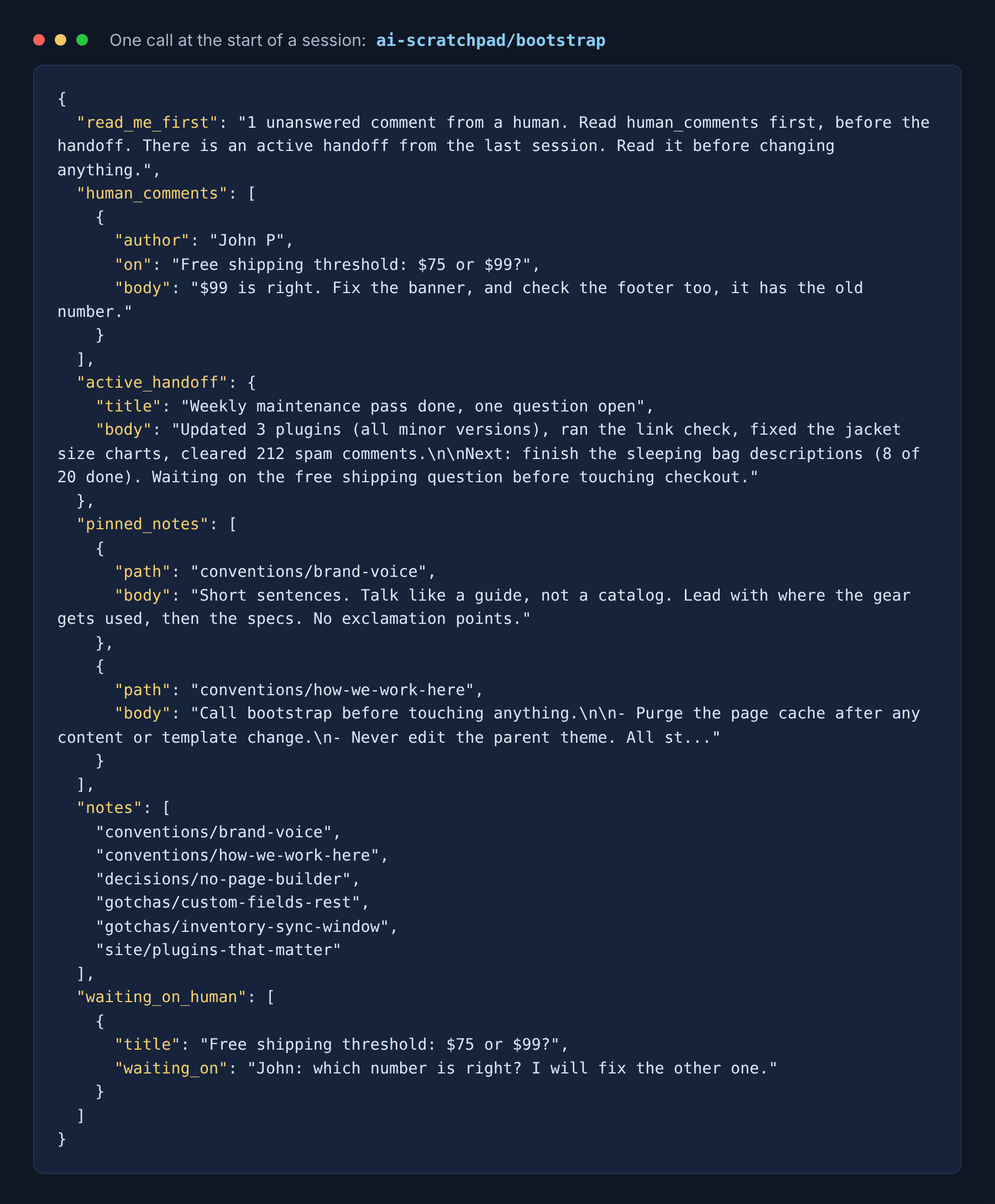
What It Looks Like From Your Side
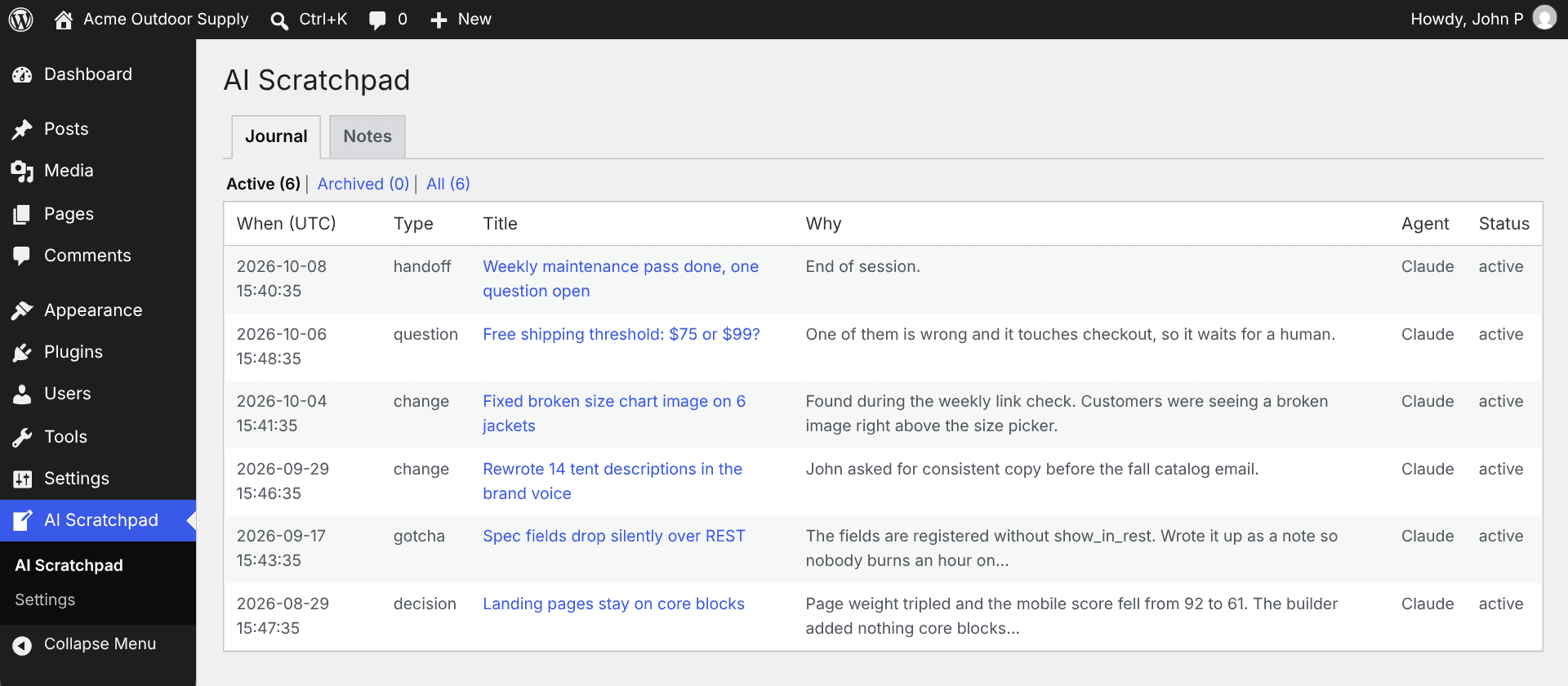
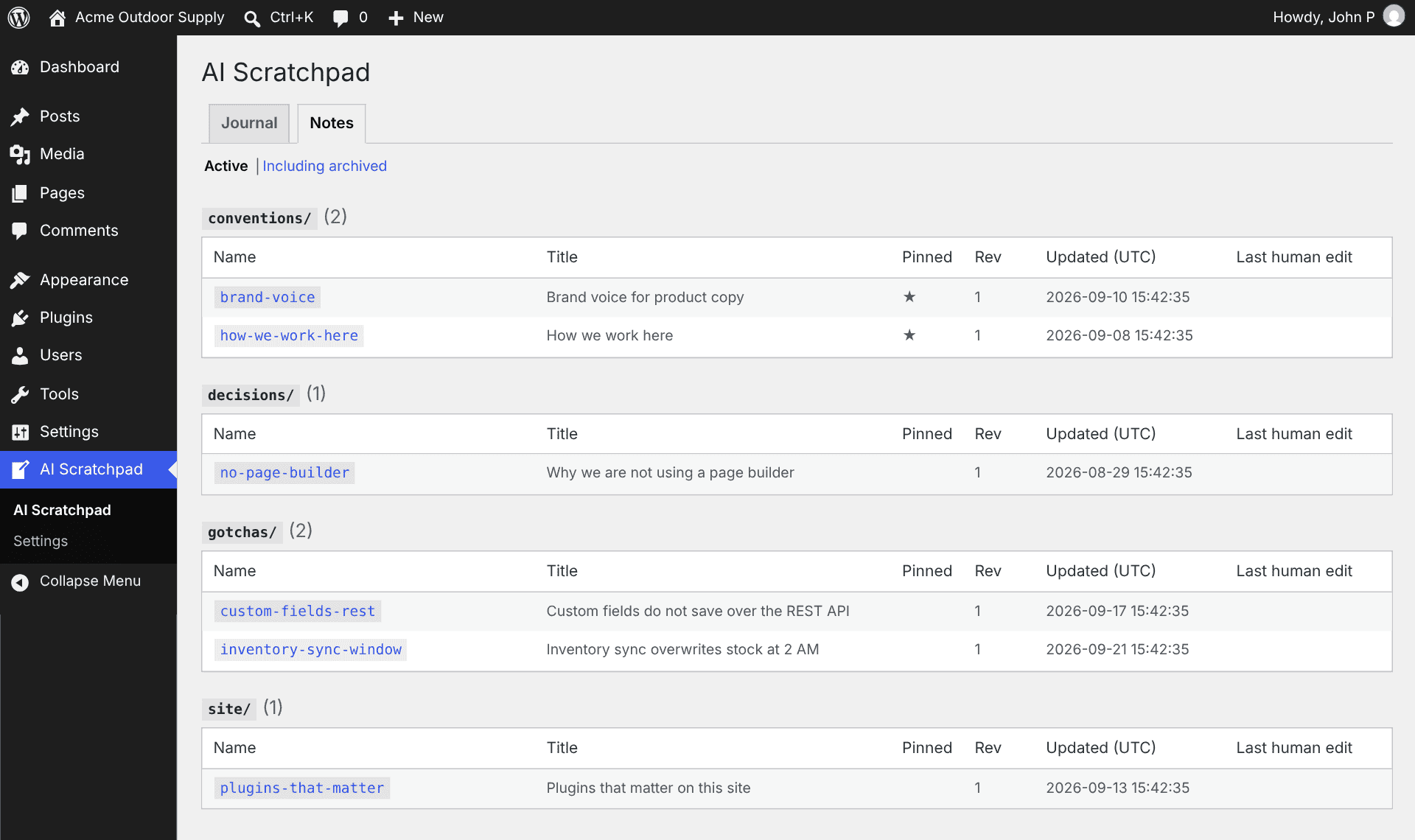
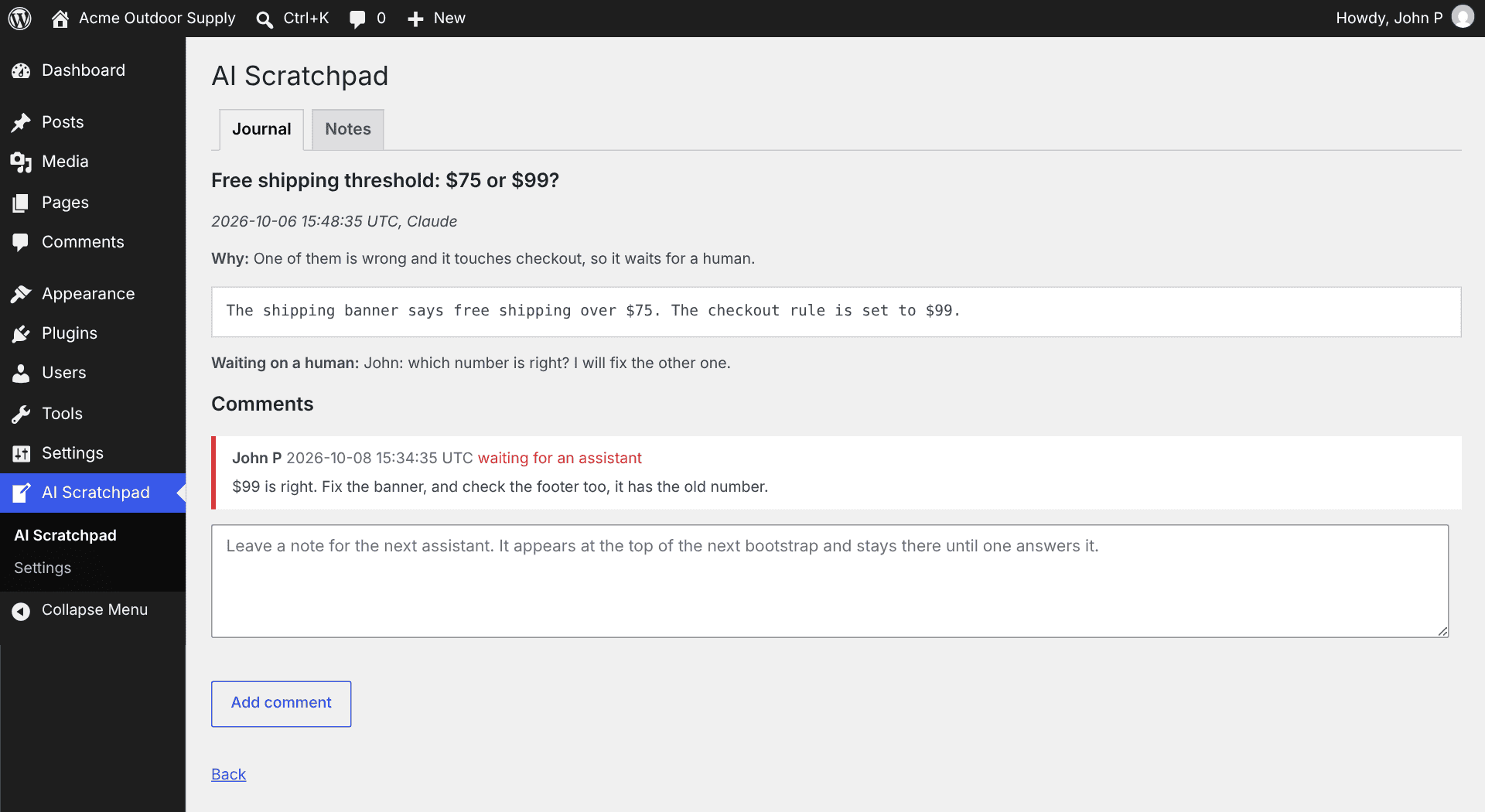
You get a dashboard too. Here’s a demo store after a few weeks of AI maintenance. (Made-up shop, real plugin.)
The Numbers
Here’s what it costs. The tools themselves: about 1,900 tokens. The bootstrap briefing: about 4,500. Fully briefed and ready to work for about 6,400 tokens.
Here’s what the alternative costs. An AI that wakes up cold starts asking questions. List the plugins: about 1,000 tokens. List the content types: about 700. Three or four of those and you’ve already spent more than bootstrap, and all it learned is what exists. Not why. Not what broke last time. Not what you decided and why you decided it.
So basically you’re paying more to get less. Every session. Forever.
Where It Really Pays: Long Projects And Routine Work
On a one-off task, Scratchpad is pure overhead. There’s no next session to pay it back. But nobody runs a website once.
Long projects are where amnesia kills you. A multi-week build has hundreds of small decisions, and the dangerous ones are the things you rejected. Six weeks later, a fresh AI will cheerfully suggest the exact thing you already ruled out, because nobody wrote down why. With Scratchpad the answer is already sitting there: tried it, here’s why it failed, don’t.
Routine work is the other half. Updates, cleanups, the weekly “make sure nothing’s on fire” pass. That’s when you want the AI to just know the house rules: purge the cache after edits, never touch the parent theme, this site’s custom fields don’t save over the REST API. Pin those once and they’re in every session forever.
And when the AI hits something only a human should decide, it flags it. That flag sits at the top of every session until you deal with it. You can comment on anything from your dashboard, and your comment goes to the front of the line. Edit a note by hand and your name goes on it, so the next session knows a human overruled the robot.
It Pairs With Godmode
If you read my last post, you know I gave my AI root on my WordPress sites with AI Godmode. Godmode is the hands. Scratchpad is the memory. One does the work, the other remembers it.
Get It
Free. GPL. No pro version, no tracking, no catch. Download it from GitHub.
Your AI is smart. It just can’t remember anything. Fix that, and stop being its babysitter.
One email per post. Twenty years of this, still going. Unsubscribe whenever.


