
How To Cut AI Token Costs For WordPress Management By 77%
Every “AI for WordPress” plugin I’ve tried lets the AI write posts. Great. I don’t need help writing posts. I’ve written thousands of them. What I need is for the AI to fix the site: read the config, patch a file, run a query, kill a stuck cron job, flush the cache, and tell me why the error log is filling up at 3 AM. And every one of those plugins hits the same wall: “You’ll need to contact your hosting provider.” No I won’t. I’ll give the AI the keys.
So I wrote AI Godmode. It’s free, it’s GPL, and it’s been running my sites for months. Then I noticed what it was costing me per message, and that turned into the part of this story worth reading.
What it actually lets the AI do
Godmode registers 65 server-administrator actions as native WordPress Abilities, which is the API WordPress added so plugins can hand tools to AI agents through MCP. Options, database, filesystem, plugins and themes, users and roles, cron, diagnostics, and yes, arbitrary PHP. Thirteen families. If a human with SSH could do it, the AI can do it.
That should scare you a little. It scares me, and I wrote it. So here’s how it ships:
- Everything is off. Every single ability. You arm a master switch, then you turn on the abilities you want, one checkbox each.
- Every action that changes something is written to an audit log in your own Cloudflare account before it runs. If the log can’t record, the action doesn’t happen. Not “logs when it can.” Doesn’t happen.
- Secrets are scrubbed on the way out. The AI can read wp-config.php and never sees the database password.
- It refuses to deactivate or delete itself, delete the active theme, or climb out of the WordPress root. The refusals are in code and covered by tests, not in a README nobody reads.
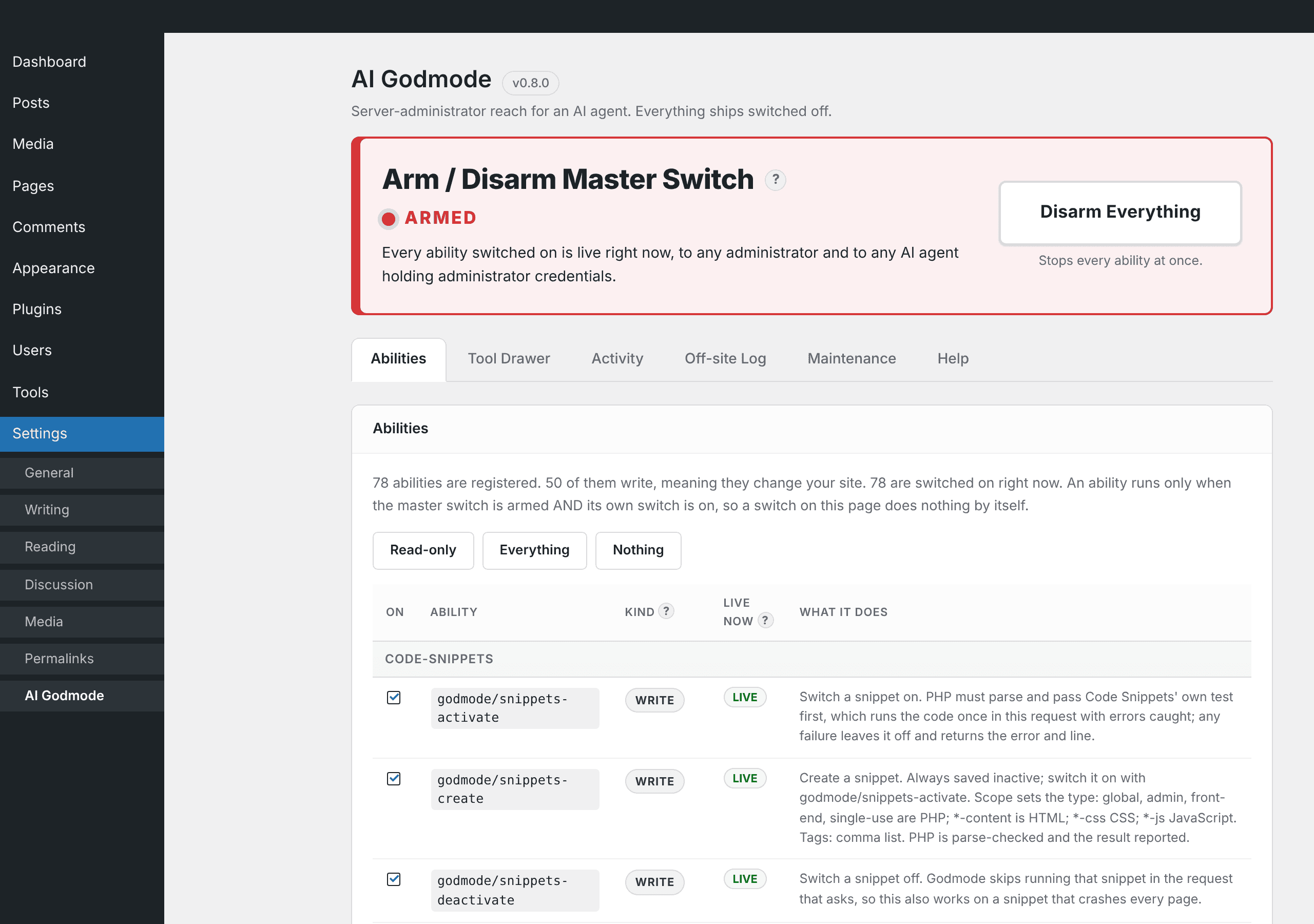
Godmode doesn’t talk to your AI by itself. A separate MCP server plugin publishes its abilities as tools. I use Easy MCP AI and every release is tested against it, but any server that reads the Abilities API works: the official WordPress MCP Adapter, Agent Abilities for MCP, or mcp-wp-abilities running on your own machine. The install tab on the plugin page covers each one.
The part nobody talks about: the tool tax
Here’s something I didn’t understand until I measured it. Every tool your MCP connector exposes gets sent to the model with every single message. Not once per session. Every message. Whether the AI uses the tool or not.
On onlyreason.org, the connector exposed 243 tools. That’s 70,314 tokens per request, before I typed a word. Ask “what’s the latest post?” and you’ve paid for 70,000 tokens of tool descriptions to get a one-line answer. Do that forty times in a conversation and you’ve burned nearly three million tokens on a menu.
And here’s the kicker: Godmode was only 16% of that. The other 84% was the MCP connector plugin’s own tools, the ones it ships with for posts, pages, media, comments, menus, widgets, and so on. All good tools. All sent, every time, forever.
The tool drawer
I stole the fix from another connector I wrote. You list a small core set of tools up front, you put everything else in a drawer, and you give the AI a short index of what’s in the drawer plus one tool to open it. The AI reads the index, sees “cron_list” or “update_menu_item” sitting in there, and reaches in when it needs to. Nothing is removed. Every drawer tool is still registered, still switched, still audited. It’s just not on the menu until it’s needed.
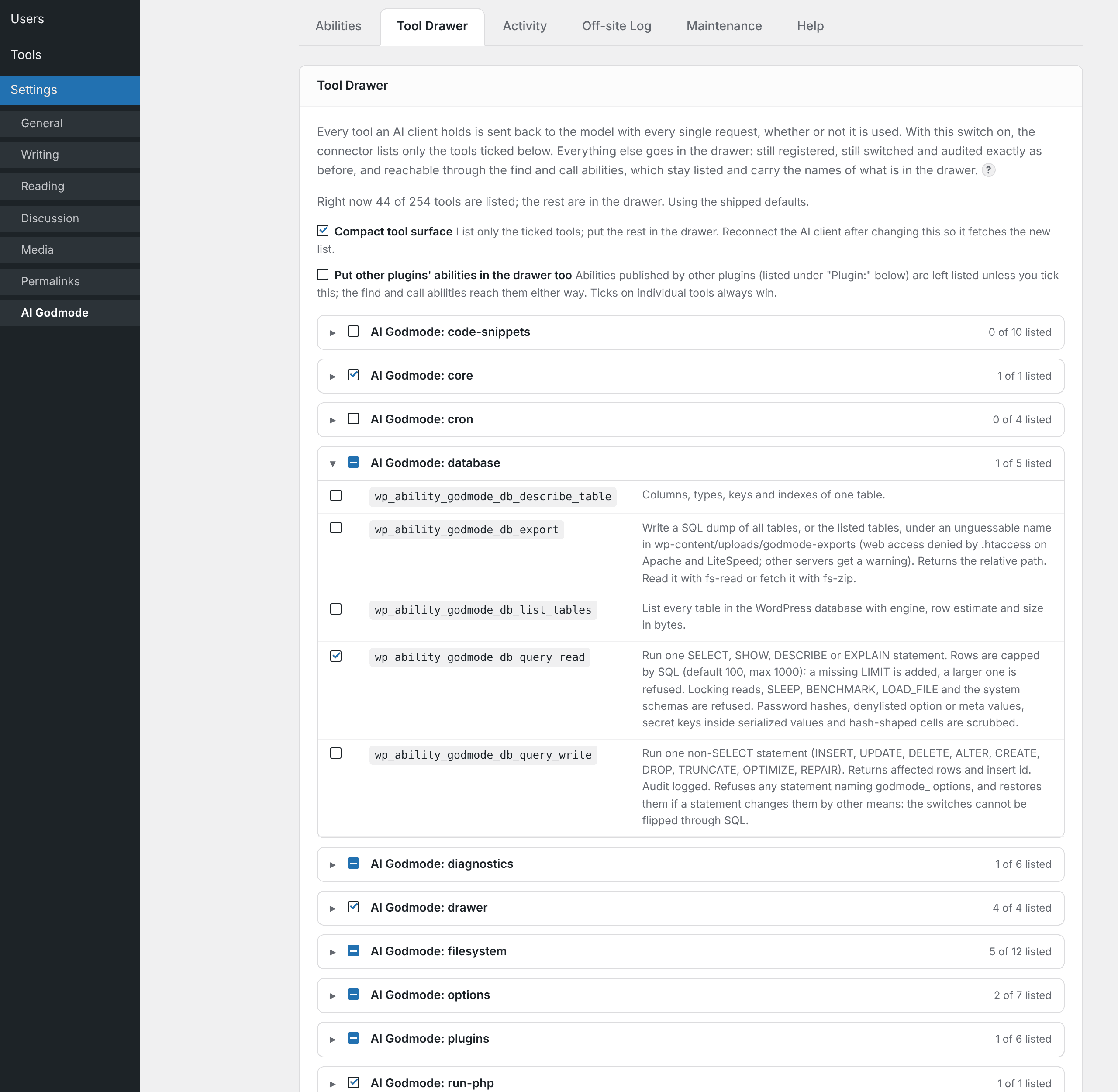
Then I did the thing that made it worth a blog post: Godmode does this to the connector plugin’s tools too, and to any other plugin’s abilities on the site, without changing a line of their code. It sits on the WordPress REST layer, recognizes the tool list on its way out the door, and trims it. Easy MCP AI went from 243 listed tools to 43 without knowing anything happened.
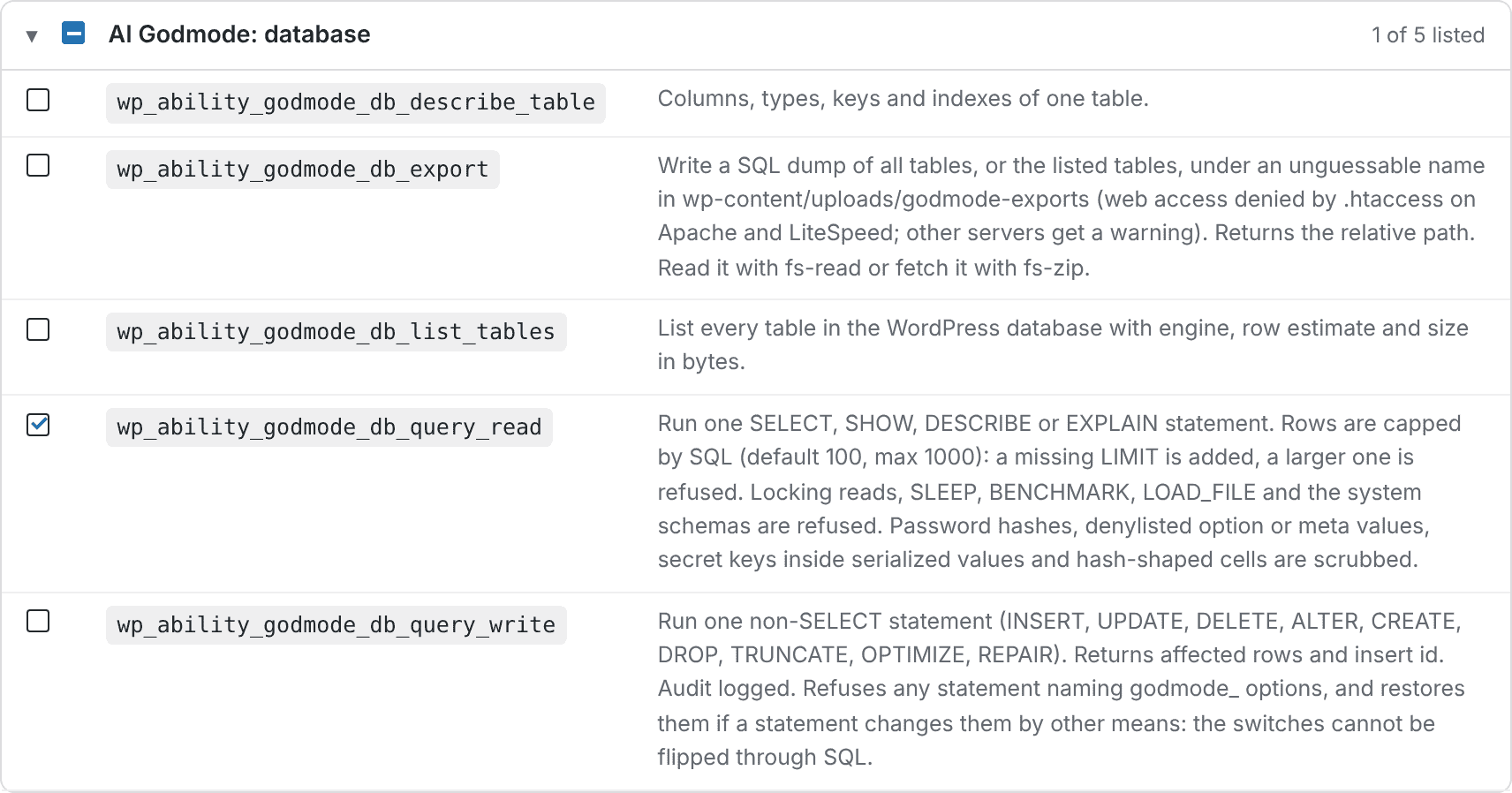
Every plugin and every family gets its own expandable section with a master checkbox, so you decide what stays on the menu in a few clicks.
The numbers
I didn’t want theory, so I measured it on live sites with the real API.
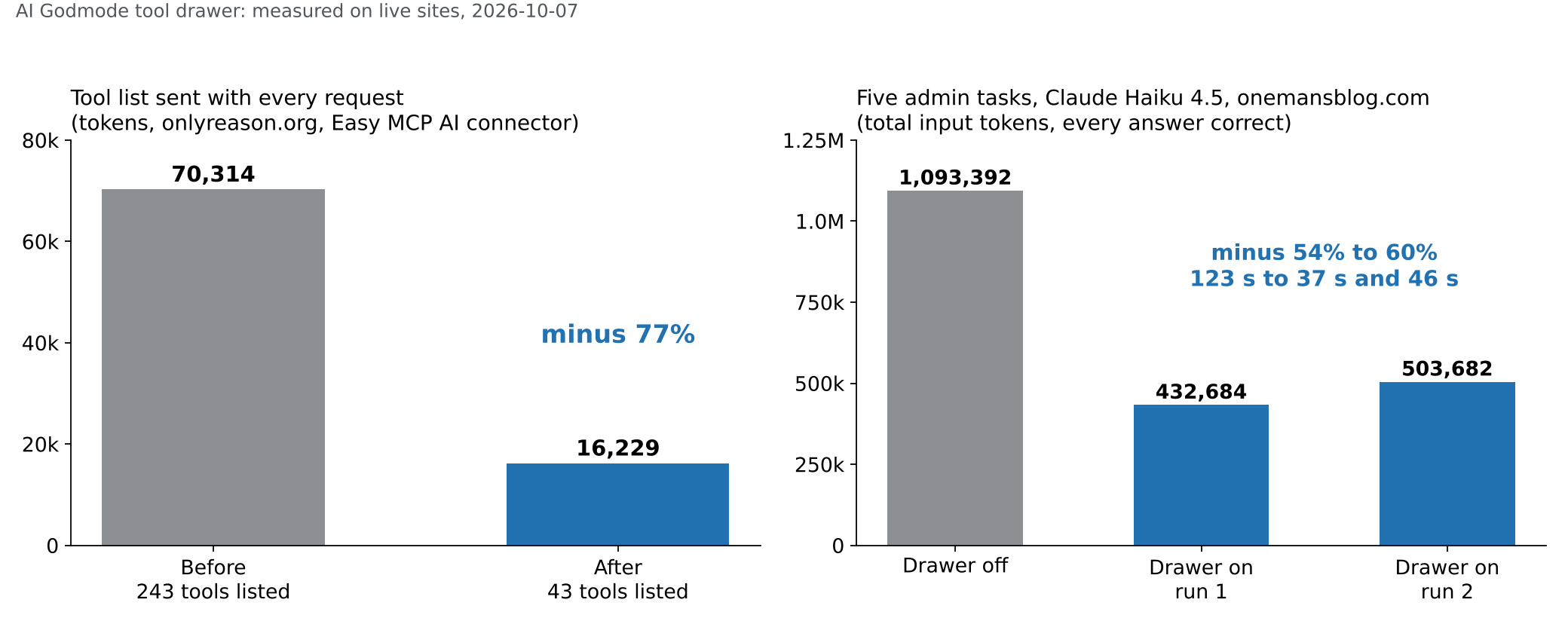
Tool list sent with every request, onlyreason.org: 70,314 tokens before, 16,229 after. Minus 77%.
Then a real benchmark on this blog: Claude Haiku 4.5, five admin tasks (count the posts, list the hourly cron jobs, write and delete a file, inspect the menus, find plugin updates), fresh conversation each time, tool calls executed against the live site. Drawer off: 1,093,392 input tokens and 123 seconds. Drawer on: 432,684 and 503,682 tokens across two runs, 37 and 46 seconds. Every answer correct in every run. The model found the drawer tools on its own, both Godmode’s and Easy MCP’s, with no hint in the prompt.
What that is in dollars
Tokens are abstract until you multiply them by a price list. So here’s the tool-list cost alone, per message and per month at a thousand messages, at current Claude API list prices, input tokens only, no prompt caching. A thousand messages is a busy month for one site: every tool call the AI makes is a message, so my five-task benchmark alone was 14 to 19 of them.
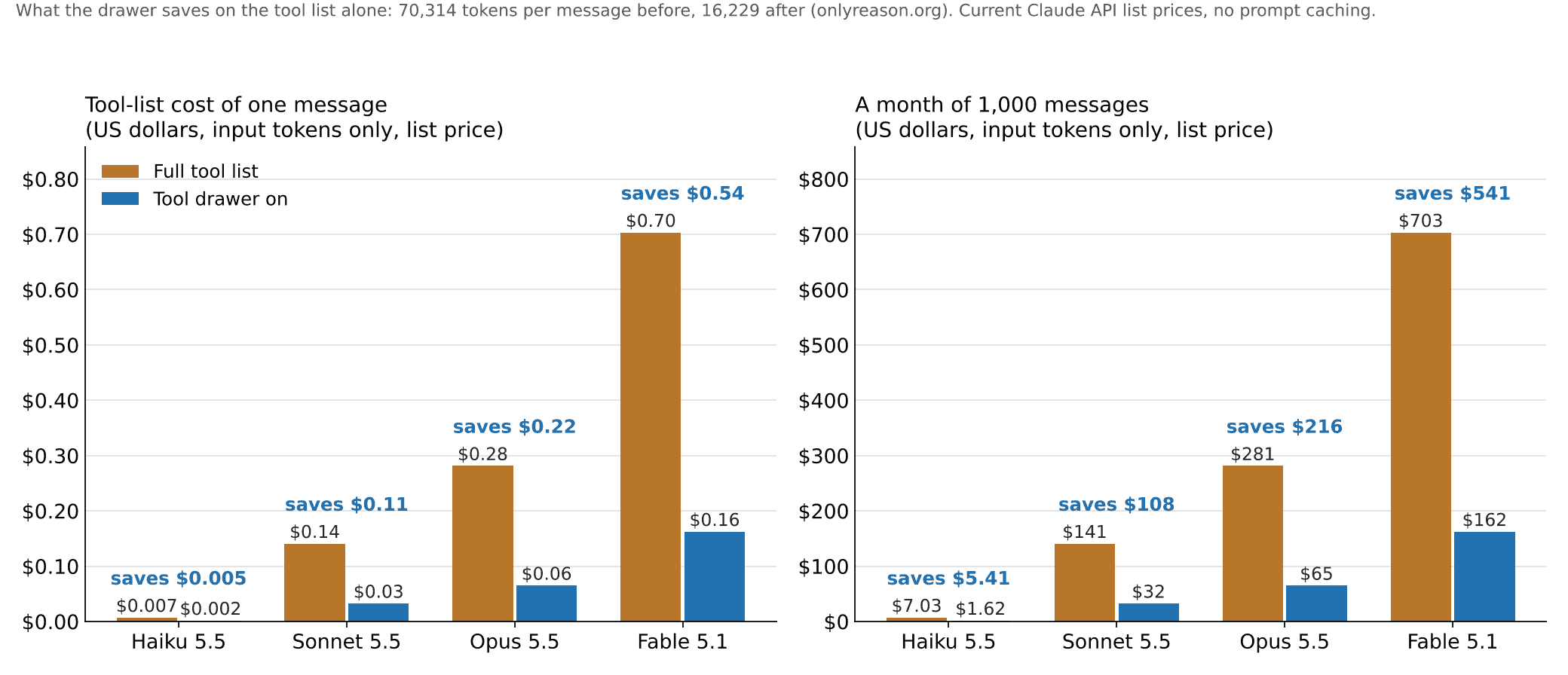
On Haiku it’s pocket change either way, which is why nobody notices. On Sonnet it’s $108 a month per site. On Opus it’s $216. On Fable, the model you’d want doing real admin work, it’s $541 a month per site, and that’s before the actual work starts. Run a few sites through the same connector and the drawer pays for itself the first week. The newer models also count about 30% more tokens for the same text than the one I measured with, so if anything these numbers are low.
So the AI gets cheaper, the AI gets three times faster, and it gets no dumber. I’ll take that trade every day of the week and twice on the days my AI bills arrive.
Who wins
The AI wins, because it stops paying rent on 200 tools it isn’t using. The MCP host plugin wins, because its tool list shrinks with zero work by its author. Every other plugin on the site that publishes abilities wins, because one checkbox puts them in the drawer too. And you win, because instead of approving fifty individual tools in your AI client, you approve one door and let the server-side switches and the audit log do the gating, which is where it belonged in the first place.
Get it
Download it and get the code on GitHub. It works alongside Easy MCP AI or any other MCP server that reads the Abilities API, and the drawer switch is on by default because turning it on removes exposure and grants nothing.
Install it, arm it, turn on exactly the abilities you’d trust a contractor with, and give your AI something better to do than write your blog posts. That part I’ve got covered.
One email per post. Twenty years of this, still going. Unsubscribe whenever.


